 By Casey Rivers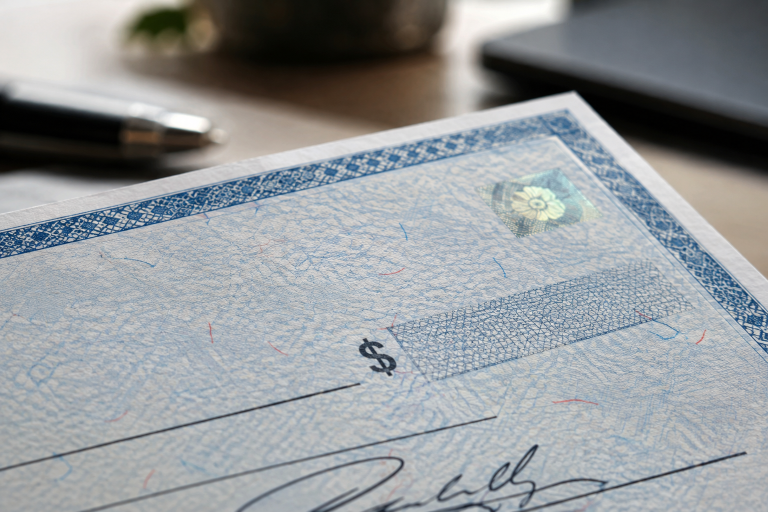
Businesses can request laser business checks from Small Business Products by choosing the check style, software format, quantity, number of parts, color, print order, and optional imprint details that fit their workflow. The goal is to order check stock that works with the company’s existing accounting, payroll, and accounts payable processes.
For organizations that still issue paper payments, a well-matched check format can make routine printing more consistent. Before placing an order, confirm the software layout, printer type, bank information, payment purpose, and recordkeeping needs.
Why Do Businesses Still Need Professional Paper Checks?
Paper checks remain useful for payroll, supplier payments, rent, reimbursements, and other accounts payable obligations. However, checks require careful handling. FinCEN reported that financial institutions filed 15,417 reports involving mail-theft-related check fraud and more than $688 million in suspicious activity during a six-month review period. Its analysis found that altered, counterfeit, and fraudulently signed checks were common outcomes following mail theft.
That risk makes selecting and handling checks important. Security-oriented check stock can provide visible and physical features that may help expose suspicious documents, but it does not guarantee that a check cannot be altered, copied, stolen, or misused.
What Security Features Are Included?
Small Business Products lists several standard security features for its Laser Business Check product. Each feature serves a different purpose in helping businesses use more secure check stock.
- Chemically reactive paper and chemical wash detection: These features are intended to help detect attempts to remove or alter printed information through chemical alteration.
- Fluorescent fibers: Fibers visible under a black light provide an additional inspection point for checking the stock.
- Microprinting and a microprint warning border: Fine printed details can be more difficult to reproduce clearly with ordinary copying methods.
- Security backer: A security pattern on the reverse side adds a visible element to the paper stock.
- Toner adhesion: This supports clear printing when checks are produced using a compatible printer and appropriate settings.
How Do Payroll, Accounts Payable, and Multi-Purpose Checks Differ?
Selecting the intended payment style helps a business maintain a consistent workflow. Payroll checks are designed for employee payment processes. Accounts payable checks are suited to vendor, supplier, and other business disbursements. Multi-purpose checks can be a practical choice for companies that need a single format for several kinds of payments.
For example, a growing contractor might use accounts payable checks for material suppliers, payroll checks for employees, and a multi-purpose format for occasional reimbursements. The best choice depends on the accounting process, not simply on the check’s appearance.
What Options Can a Business Select When Ordering?
The Small Business Products configurator allows buyers to build an order around operational requirements. Available choices include:
- Selecting a quantity based on expected payment volume and secure storage capacity.
- Choosing one-part, two-part, or three-part checks for the needed number of copies.
- Selecting a color and either Marble or Linen pantograph styling.
- Choosing Payroll, Accounts Payable, or Multi-Purpose formatting.
- Selecting the accounting software type and the required check layout.
- Choosing the preferred print order for the bookkeeping workflow.
- Adding a second imprint line or second signature line when appropriate.
- Choose a black-and-white logo option, then use the Check Wizard to complete the customization.
How Should Businesses Handle Software and Printer Compatibility?
Compatibility should be verified before submitting a laser business checks request. A business may work in QuickBooks, Quicken, Sage Peachtree, MYOB, Great Plains, MAS90-MAS200, Microsoft Money, BusinessWorks, or a generic check format, but the correct layout depends on the specific software version and print template in use.
Small Business Products states that its laser checks are compatible with laser and inkjet printers. Still, businesses should confirm printer settings, check dimensions, perforation locations, and alignment with a test print or their current setup. This step can prevent wasted stock and payment-processing interruptions.
How Can Businesses Add Stronger Fraud Controls?
Check stock should be part of a broader control system. Businesses can limit access to blank checks, store unused inventory in a locked location, separate preparation and approval duties when staffing allows, and regularly review cleared checks and account activity.
Bank services can add another layer of review. Positive Pay services compare check details submitted by a business with checks presented for payment, allowing exceptions to be reviewed under the bank’s process. Businesses should ask their financial institution what fraud-control services are available for their account.
How Can a Business Avoid Ordering Mistakes?
- Verify the legal business name, bank information, and authorized signature requirements.
- Confirm the software format and check the style before choosing customization options.
- Determine whether one, two, or three parts are needed for internal records.
- Review printer compatibility, page size, perforations, and print order.
- Prepare a clear logo file if a logo will be included.
- Order an appropriate quantity rather than storing more blank check stock than necessary.
- Contact Small Business Products for assistance when a workflow requires a custom format or unusual setup.
Frequently Asked Questions
Do Laser Business Checks Prevent Fraud?
No. Security features may help identify some attempts at alteration or reproduction, but no check stock can prevent every type of fraud. Internal approvals, secure storage, prompt reconciliation, and bank-level controls remain important.
Can a Company Add Its Logo?
Small Business Products offers a black-and-white logo option through its ordering process. Businesses seeking a colored logo should confirm the available setup and ordering requirements before placing an order.
What Is the Best First Step Before Ordering?
Start by confirming the accounting software, printer, check purpose, number of copies, bank layout, and desired quantity. Having those details ready helps create a more accurate order and a smoother printing process.
Conclusion
Small Business Products provides a structured way to request laser business checks that fit payroll, accounts payable, and multi-purpose payment needs. By confirming compatibility and selecting the right security, formatting, and customization options, businesses can order check stock that supports a more organized payment process. The strongest approach combines the right checks with sound financial controls and regular account oversight.